
The page, and the video in each slot
- Plays by itself
- Only the hero loop: muted, with a pause control
- First paint
- A poster image, sized and quick to load
- For Google
- Each demo on its own watch page, with VideoObjectThe product page stays a product page; the long video gets its own watch pageThe explainer on its own watch page, with VideoObject
- For AI answers
- The same facts in text on the page
Rules from Google, Chrome, WebKit, W3C and web.dev documentation; sources numbered at the end.
Video on your website: Hero, product and explainer videos that sell, load fast and get read by AI search
Put each video where a decision happens, make it light, and give people and engines text to read.
Book a discovery callCheck your hero video
Checked against Google, Chrome, WebKit, Mozilla, W3C and web.dev documentation on 19 November 2026.
The short answer
Put each video where a visitor is deciding something: a short muted loop in the hero, a demo of one task beside the feature it shows, and the explainer and the customer story for the visitor who chooses to press play. Give every video a light poster so the page paints fast, captions and a transcript so people and search engines can read it, and its own watch page with VideoObject markup when it matters enough to be found.
- Only muted video may play by itself in every major browser, and a loop that runs longer than five seconds needs a pause control 6 9 20.
- Largest Contentful Paint counts a video’s poster or its first frame, whichever comes first; “good” is 2.5 seconds or less 11.
- Encode WebM first and MP4 (H.264) as the fallback, drop the audio track from muted loops, and start videos below the fold only when they scroll into view 12 18.
- Google shows video results for watch pages, where one video is the main content; VideoObject needs a name, a thumbnail and an upload date 1 2.
- AI answers quote text: put the video’s facts in a summary and a transcript on the page 4 5.
Where should video go on a website?
Where the visitor is deciding something, and no longer than that decision needs.
A hero loop answers “what is this?” before anyone reads; a product clip answers “what does it look like in use?”; the explainer answers “how does it work for me?” for the visitor who chose to press play; the customer story answers “has it worked for someone like me?”. In Wyzowl’s 2026 survey, 63% of people said a short video is how they would most like to learn about a product 29. That is a reason to make the video short and to put it where the question is asked, not a reason to put a video in every section.
Five video slots on a websiteTop of the page to the bottom
| Slot | The video | How it plays | How long | The text beside it |
|---|---|---|---|---|
| Hero | A loop of the product, the work or the place | Muted, looping, with a pause control | One loop of one action | The headline and one sentence: the message is in the text, not in the loop |
| Product or feature | A demo of one task, or a clip in the gallery | Starts when the visitor presses play | One task, start to finish | What the task is and what it saves |
| Explainer | The product or the service, explained | Click to play, with sound and captions | As long as the explanation, no longer | A summary, and the transcript |
| Proof | A customer or client story | Click to play, with captions | The story, told once | Who the customer is and what changed |
| Questions and transcript | Short answers to single questions | Click to play | One question per clip | The question and the answer, written out |
The length column describes, it does not count: the right length is the shortest one that does the job of the slot.
Can a website video play by itself?
Only muted, in every major browser, and only with a way to stop it.
The browsers agree on the main rule and differ on the details. Chrome always allows muted autoplay; sound is allowed only after the visitor has interacted with the site, on desktop once Chrome’s media engagement score for the site is high enough, or when the site is installed 6. Safari on iPhone plays muted or silent video by itself, but only while it is visible on screen, and pauses it when it scrolls away 7. Safari on the Mac has blocked media with sound from auto-playing on most websites since Safari 11 8. Firefox has blocked audible autoplay by default since Firefox 66, until the visitor clicks, presses a key or touches the page 9.
So plan for silence. A hero loop has to work with the sound off, and anything with speech starts when the visitor presses play. Check the promise that play() returns: when a browser refuses, it rejects with a NotAllowedError, and that is the moment to show a play button instead of a blank box 8 10.
- Muted
- The only kind of autoplay every major browser allows by default.
- A pause control
- Visible, reachable by keyboard, labelled.
- Reduced motion respected
- For visitors whose system asks for less motion, show the poster and do not play 15.
- Sound by choice
- Anything with speech starts when the visitor presses play, with captions.
Autoplay by browserRead 19 November 2026
| Browser | Muted autoplay | Autoplay with sound | Also |
|---|---|---|---|
| Chrome | Always allowed 6 | After the visitor interacts with the site, past the media engagement threshold on desktop, or when the site is installed 6 | Applies to other browsers built on Chromium that keep Google’s policy |
| Safari on iPhone and iPad | Allowed for muted video or video without an audio track 7 | Needs a tap or a click 7 | Plays only while visible, pauses off screen; playsinline keeps it in the page on iPhone 7 |
| Safari on the Mac | Allowed 8 | Blocked by default on most websites since Safari 11 8 | Visitors can change it for each website 8 |
| Firefox | Allowed 9 | Blocked by default since Firefox 66 until the visitor clicks, presses a key or touches the page 9 | Waits until the tab is in front; visitors can allow sound for a site 9 10 |
On every browser, play() returns a promise that is rejected when autoplay is refused 10.
The pause rule
A video that starts by itself, runs longer than five seconds and plays beside other content needs a way to pause, stop or hide it.
Does a hero video slow the page down?
It can, and Google measures it.
Largest Contentful Paint (LCP), one of the Core Web Vitals, counts video elements: for a video it uses the poster image’s load time or the first frame’s presentation time, whichever comes first. A good LCP is 2.5 seconds or less, measured at the 75th percentile of page loads; over 4.0 seconds is poor 11. A heavy first frame with no poster is a slow first paint.
Two more facts decide most hero videos. Autoplaying videos start downloading immediately, even when they sit below the fold, and in most browsers a video with no preload attribute fetches its metadata anyway 12 13. Every autoplaying video on a page is therefore a download the visitor pays for, whether or not they scroll to it.
- Give every video a poster. A still that says what the video is about, compressed and sized for the slot. If the poster is the page’s LCP element, ask for it early with a separate preload hint marked
fetchpriority="high"13. - Encode two formats. WebM and MP4 sources, MP4 (H.264) as the fallback every modern browser supports; the browser takes the first source in the list that it can play 12.
- Load what is needed, when it is needed. For videos the visitor starts,
preload="none". Videos lower on the page start only when they scroll into view, with an Intersection Observer 12 13. - Replace animated GIFs with video. In web.dev’s example a 3.7 MB GIF became a 551 KB MP4 and a 341 KB WebM 14.
- 2.5sLargest Contentful Paint counted as “good”, at the 75th percentile of page loads 11
- 1.6MbpsDownload speed of Lighthouse’s Slow 4G test profile 16
- 3.7MBAn animated GIF in web.dev’s example, which became a 341 KB WebM 14
- 5sHow long moving content may start by itself before WCAG asks for a pause control 20
How heavy is your hero video?
Two numbers from your export settings tell you whether the file can load inside the 2.5-second line.
File size and download time
Enter the length of the clip and the bitrate it was exported at. The tool works out the file size and how long the whole file takes to download on two test connections, against the 2.5-second “good” line for Largest Contentful Paint 11.
The result
File size is length times bitrate, divided by eight; download time is size divided by the connection’s throughput. Real pages also wait for latency and for every other file, so treat the result as the best case.
What does fixing a heavy hero look like?
A worked example with round numbers: a software company’s homepage loop, before and after.
A twenty-second screen recording of the product, exported straight from the editor at 4 Mbps with its audio track, sits in the hero with autoplay and no poster. The arithmetic is the same as the tool’s, and it shows why the first paint waits: on Lighthouse’s Slow 4G profile the file needs fifty seconds to download, and until the first frame decodes there is nothing in the box.
The fix changes the file and the markup, not the film. The loop is cut to the one action the headline promises, the audio track is removed, the bitrate comes down, and a still from the loop becomes the poster, preloaded because it is now the largest thing on the first screen 12 13.
Worked example: one homepage loop, before and after
- Before: length and bitrate
- 20 s at 4 Mbps, with an audio track
- Before: file size
- 20 × 4 ÷ 8 = 10 MB
- Before: download on Slow 4G (1.6 Mbps)
- 80 Mb ÷ 1.6 = 50 s
- Before: download on Fast 4G (9 Mbps)
- 80 Mb ÷ 9 ≈ 8.9 s
- Change
- Cut to one 8-second action, remove the audio, export at 1.5 Mbps, add a poster and preload it
- After: file size
- 8 × 1.5 ÷ 8 = 1.5 MB
- After: download on Slow 4G
- 12 Mb ÷ 1.6 = 7.5 s
- After: download on Fast 4G
- 12 Mb ÷ 9 ≈ 1.3 s
- What paints first
- The poster, before the video has finished downloading
An illustration on stated inputs, not a client project. Throughputs from Lighthouse 16 and DevTools 17; the LCP rule from web.dev 11.
How should a website video be encoded?
Two sources, no audio in a silent loop, a poster, and the right attributes.
Encoding and markup for website videoFrom MDN and web.dev
| Setting | What to use | Why |
|---|---|---|
| Container and codec | WebM with AV1 (Opus for sound) listed first; MP4 with H.264 (AAC for sound) as the fallback | MDN’s recommendation for typical websites; MP4 with H.264 plays in every major browser 18 12 |
| Source order | The format you prefer first | The browser plays the first source it supports 12 |
| Audio track | None in a muted loop (ffmpeg -an removes it) | A silent loop does not need the bytes 12 |
| Poster | A still that makes sense on its own, compressed, the same shape as the video | It holds the space and can be the LCP element 11 13 |
| Poster priority | A separate <link rel="preload" as="image"> with fetchpriority="high" | The poster attribute itself cannot take a priority 13 |
| preload | none for click-to-play videos | Most browsers fetch metadata by default 13 |
| Hero loop attributes | autoplay muted loop playsinline | Muted to be allowed, playsinline to stay in the page on iPhone 7 14 |
| Below the fold | Start playback when the video enters the viewport (Intersection Observer) | Autoplaying videos download at once, even off screen 12 13 |
| Reduced motion | Show the poster and do not play for prefers-reduced-motion: reduce | Some visitors ask their system for less motion 15 |
A hero loop: poster first, muted, pausable
<!-- in <head>: the poster paints first, so ask for it early -->
<link rel="preload" as="image" href="/media/hero-poster.webp" fetchpriority="high">

<video class="hero-loop" autoplay muted loop playsinline
       poster="/media/hero-poster.webp" width="1280" height="720">
  <source src="/media/hero.webm" type="video/webm">
  <source src="/media/hero.mp4" type="video/mp4">
</video>
<button type="button" class="hero-pause" aria-pressed="false">Pause the video</button>

<script>
  const v = document.querySelector(".hero-loop");
  const b = document.querySelector(".hero-pause");
  if (matchMedia("(prefers-reduced-motion: reduce)").matches) v.pause();
  b.setAttribute("aria-pressed", String(v.paused));
  b.addEventListener("click", () => {
    v.paused ? v.play() : v.pause();
    b.setAttribute("aria-pressed", String(v.paused));
  });
</script>
Swap in your own file names. The button meets the pause rule; the reduced-motion line keeps the poster still for visitors who ask for less motion 15 20.

Do website videos need captions and transcripts?
Captions whenever there is speech; a transcript whenever you want the video read.
Captions, yes, whenever the video has speech or meaningful sound: WCAG success criterion 1.2.2 (Level A) asks for captions on all prerecorded audio in synchronized media 21. A muted hero loop with no audio has nothing to caption; the explainer, the demo with a voice-over and the customer story do.
At Level AA, which many accessibility laws point to, success criterion 1.2.5 adds audio description for prerecorded video: the visual information the soundtrack does not already carry, such as on-screen text or a scene change, has to be described. A voice-over that already says everything the picture shows needs nothing more 22.
A transcript is not required by the same rules, but it is the part of the video that search and AI engines read without watching. Google asks site owners to make important content available in text 4. Put a short summary under every video and the full transcript one click away, in the HTML of the page.
Captions on the web are a WebVTT file: a WEBVTT header, a blank line, then cues with a start and an end time and the text. The file is UTF-8, ends in .vtt and is served as text/vtt, and a <track> element attaches it to the video 19.
Captions: a WebVTT file and the track that loads it
WEBVTT

00:00:00.000 --> 00:00:03.500
Every Monday, the report used to take a day.

00:00:03.500 --> 00:00:07.000
Now it builds itself before the first meeting.

<!-- on the page -->
<video controls preload="none" poster="/media/demo-poster.jpg">
  <source src="/media/demo.mp4" type="video/mp4">
  <track kind="captions" src="/media/demo.en.vtt" srclang="en" label="English" default>
</video>
Where should you host website video?
On your own page when the video should bring visitors to you; on a platform when you need its player, its reach or its delivery.
Hosting decides three things: who controls the page around the video, who pays for each view, and which page a video result in search points to. A video that lives only on YouTube has YouTube’s page as its watch page. A file on your own server or on a delivery service, embedded on your own watch page, keeps the poster, the transcript, the markup and the call to action yours.
Your own server
Your hosting plan
You own the page, the poster, the player and the markup; you also carry the encoding and the bandwidth.
- Best for
- Short hero loops and clips on your own watch pages
YouTube
Free
A second place to be found. Related videos cannot be switched off since 2018; rel=0 only limits them to your channel 23.
- Best for
- Reach, and a public copy of the explainer
Vimeo
From $9 a month
Creator, billed annually; $16 billed monthly. Public videos are stored and streamed without limit; embeddable and private ones count against the plan 24.
- Creator
- 50 GB managed storage, 1 TB a month
- Professional
- $71 a month billed annually, 7 TB
Wistia
Free, or $79 a month
Business, billed annually: 250 GB of storage and 1 TB of bandwidth. Free: 25 GB and 200 GB 25.
- Business + Signals
- $329 a month billed annually
Cloudflare Stream
$5 per 1,000 minutes stored
A month, plus $1 per 1,000 minutes delivered; sending the video in and encoding it are free 26.
- Best for
- Your own player, priced by minutes
Mux
Free to start
Up to 10 stored videos and 100,000 delivery minutes a month; then storage from $0.0024 a minute a month and delivery from $0.0008 a minute 27.
- Launch
- $20 a month with $100 of credit
Your own watch page
- You choose the poster, the page around the video and the markup.
- A video result for the video leads to your page, when the video is the page’s main content 1.
- The transcript, the questions and the call to action sit beside it.
YouTube only
- Free hosting, and a second place to be found.
- The watch page is YouTube’s, so that is where a video result leads.
- Related videos appear at the end; rel=0 limits them to your channel 23.
Many sites do both: the file on their own watch page, and the same video on YouTube as a second place to be found. If you do, describe it the same way in both places, and give your own page the transcript.

How does Google find your website’s videos?
Through a watch page, a thumbnail, structured data and a video file it can fetch.
VideoObject with key moments, for one watch page
<script type="application/ld+json">
{
  "@context": "https://schema.org",
  "@type": "VideoObject",
  "name": "How the product builds a weekly report",
  "description": "A 90-second demo: connect a data source, pick a template, send the report.",
  "thumbnailUrl": ["https://www.example.com/media/demo-16x9.jpg"],
  "uploadDate": "2026-11-19T09:00:00+02:00",
  "duration": "PT1M30S",
  "contentUrl": "https://www.example.com/media/demo.mp4",
  "embedUrl": "https://www.example.com/embed/demo",
  "hasPart": [
    { "@type": "Clip", "name": "Connect a data source",
      "startOffset": 0, "endOffset": 30, "url": "https://www.example.com/videos/demo?t=0" },
    { "@type": "Clip", "name": "Send the report",
      "startOffset": 60, "endOffset": 90, "url": "https://www.example.com/videos/demo?t=60" }
  ]
}
</script>
The example values are placeholders. Required: name, thumbnailUrl, uploadDate 2.
A watch page for each video that matters
Google’s documentation draws one line that surprises many site owners: a page whose main purpose is one video is a watch page and can get video features in search. A blog post with an embedded video, or a product page with a 360 video, is not, because the video complements the page; those pages can still appear as text or image results 1. Give the launch film, the full demo and the explainer a page each.
Three required properties, and a thumbnail Google can fetch
VideoObject needs name, thumbnailUrl and uploadDate. Recommended: description, duration, contentUrl (the file) or embedUrl (the player), creator and hasPart for key moments 2.
The thumbnail can be BMP, GIF, JPEG, PNG, WebP, SVG or AVIF, at least 60 by 30 pixels and larger preferred, at a stable URL that is not blocked 1. Use the same image as the poster.
Key moments: Clip or SeekToAction
Google prioritises key moments that the site sets itself, in structured data or in a YouTube description 1. Clip marks each segment with a name, a start offset and a URL, as in the markup on the left; SeekToAction tells Google how timestamps work in your URLs, so it can link to any second 2. Pick one of the two for a video.
SeekToAction, instead of Clip
"potentialAction": {
  "@type": "SeekToAction",
  "target": "https://www.example.com/videos/demo?t={seek_to_second_number}",
  "startOffset-input": "required name=seek_to_second_number"
}
The file, and a sitemap if videos are many
Google has to fetch the video’s bytes for previews and key moments: do not block the file with robots.txt or noindex, and keep it at a stable URL 1. A video sitemap helps when videos are many or hard to find; each entry needs a thumbnail, a title, a description of up to 2,048 characters, and the file or the player URL 3.
How do AI engines read a video page?
Mostly through its text.
Google says there are no additional requirements or special optimisations for appearing in AI Overviews or AI Mode: the page has to be indexable and eligible for a snippet, and the usual practices apply, among them important content in textual form, structured data that matches the visible text, and images and video that support the text 4. Its guide to generative AI features adds that those features “can bring in relevant images and video”, that site owners do not need new machine-readable files, AI text files or Markdown, and that Google Search itself does not use them 5.
Structured data isn’t required for generative AI search.
Structured data still earns its place: it is what makes a watch page eligible for video results 2, and Microsoft’s Fabrice Canel told SMX Munich in March 2025, as reported by Search Engine Roundtable, that schema markup helps Microsoft’s language models understand content 28.
So a video helps an AI answer through what surrounds it: a heading that asks the question, a written answer, a transcript, and VideoObject markup that says the same thing. A video whose message exists only as pixels gives an engine little to quote.
What should a launch page give AI answers?
Every fact a buyer or an engine needs exists in text, in one place, before launch day; the video carries the feeling.
An AI answer about a new product is assembled from what the engines can read about it: the product page, its questions and answers, the structured data, and what other sites say. A launch film that holds the only copy of a fact leaves that fact out of the answer. The checklist below is the order we would work in on a launch page.
Launch page, ready for AI answers
What makes a good SaaS hero video?
One that shows the product doing the job the headline promises.
The headline and one sentence carry the message; the loop proves it, without asking the visitor to read anything inside the video. Keep the loop short and silent, give it a poster that already makes sense as a still, and put the full demo one click away on its own watch page, where it can carry a voice-over, captions, chapters and VideoObject.
- Show the outcome, not the interface tour: the report that builds itself, the alert that arrives in time.
- Keep text out of the loop. It cannot be translated, indexed or read by a screen reader.
- One idea per loop. A second idea is a second video, further down the page.
- Design the first frame. It is the poster, the thumbnail and, on a slow connection, the only thing the visitor sees.

What are the most common mistakes?
Seven we see on websites, each with its fix.
Mistake 1
Words inside the loop
They cannot be translated, indexed or read aloud. Move them into the headline and keep the loop to pictures.
Mistake 2
Autoplay with sound
Browsers block it 6 8 9. Mute the loop; let speech start when the visitor presses play.
Mistake 3
No way to pause
A loop longer than five seconds needs a visible, keyboard-reachable pause control 20.
Mistake 4
No poster
The first frame becomes the LCP element and the box stays empty while it loads 11 12. Add a light poster.
Mistake 5
Exported straight from the editor
A high bitrate and an audio track nobody hears. Re-encode, drop the audio with -an, and check the size in the tool above 12.
Mistake 6
An animated GIF
Megabytes for a few seconds. The same clip as MP4 or WebM is a fraction of the size 14.
Mistake 7
Facts only in the pixels
No summary, no transcript, no markup. Engines read text; give them the video’s facts in writing 4 5.
What do the terms mean?
- Largest Contentful Paint (LCP)
- The time until the largest image, text block or video on the first screen is painted. For a video, the poster or the first frame, whichever is earlier; good is 2.5 seconds or less 11.
- Poster
- The still a video element shows before it plays. It holds the space, can be the LCP element, and makes a good thumbnail 11 13.
- Bitrate
- How much data each second of video takes, usually in megabits per second (Mbps). Length times bitrate gives the file size.
- Codec and container
- The codec compresses the picture (AV1, VP9, H.264); the container holds it (WebM, MP4) 18.
- preload
- A video attribute that tells the browser how much to fetch before playback: none, metadata or auto 12.
- playsinline
- The attribute that keeps a video playing in the page on iPhone instead of switching to full screen 7.
- Watch page
- A page whose main purpose is one video; the kind of page Google gives video features to 1.
- VideoObject
- Schema.org markup that describes a video: required name, thumbnailUrl and uploadDate 2.
- Key moments
- Links to segments inside a video in search results, set with Clip or SeekToAction markup 1 2.
- WebVTT
- The caption file format of the web: a .vtt text file of timed cues, loaded with a <track> element 19.
When should a studio make your website videos?
When the video carries the brand.
The hero film every visitor sees first, the launch film, the explainer that will sit on the homepage for years: these are where direction, writing and sound decide the result. Demo clips and answers to single questions can come from your own team with a screen recorder and the checklist above.
ArcaneWiz makes these films. Daniel Atzil, a filmmaker with 20+ years in cinema, and his team have made films for Samsung, proteanTecs and Scorli. Projects start from $3,000 for a defined brief, delivered in 7–10 working days from an approved brief, and every film can be delivered with its poster, a web-ready loop, captions and a transcript.
Frames from the studio’s films
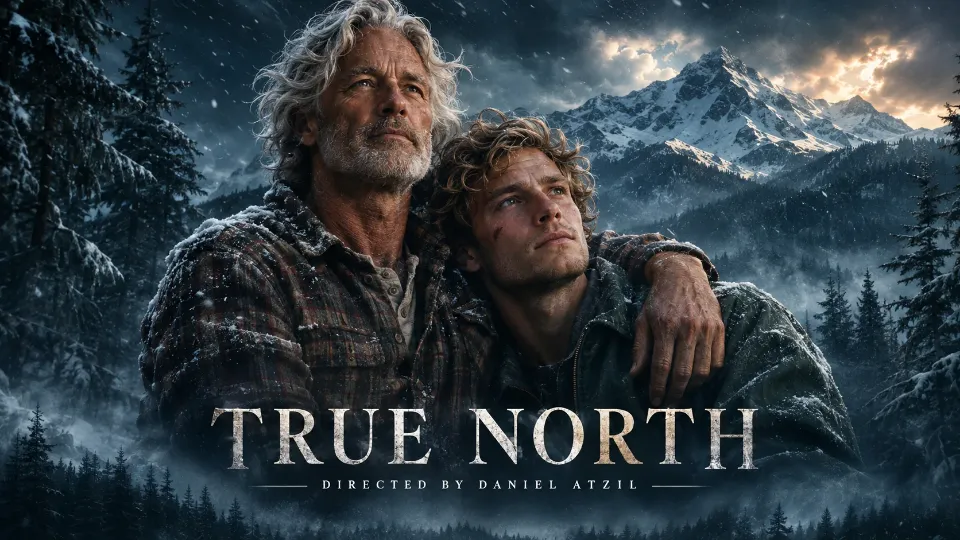
Samsung, proteanTecs, Scorli and TRUE NORTH, directed by Daniel Atzil and his team.

proteanTecs Scorli TRUE NORTH proteanTecs Scorli 
TRUE NORTH proteanTecs Scorli




Questions and answers: what else do people ask about video on websites?
Should my homepage have a video?
If it shows what the product or service does faster than the headline can say it, yes: a short muted loop with a pause control in the hero, and the full explainer one click away on its own watch page. In Wyzowl’s 2026 survey, 63% of people said a short video is how they would most like to learn about a product. The headline still carries the message; the loop proves it.
Can a background video autoplay with sound?
Not reliably. Chrome always allows muted autoplay but allows sound only after the visitor has interacted with the site, past its media engagement threshold on desktop, or when the site is installed. Safari on the Mac blocks autoplay with sound on most websites, and Firefox blocks it by default until the visitor clicks, presses a key or touches the page. Plan for a silent loop.
Does a hero video hurt Core Web Vitals?
It can affect Largest Contentful Paint, which counts a video’s poster load time or its first frame, whichever is earlier; good is 2.5 seconds or less. Autoplaying videos also start downloading at once, even below the fold. A compressed, preloaded poster and videos that load only when they come into view keep it in check.
What bitrate should a hero video use?
There is no single right number: the right bitrate is the lowest one at which the loop still looks clean on the screens your visitors use. Length times bitrate, divided by eight, gives the file size in megabytes; the tool on this page turns that into download time on Lighthouse’s Slow 4G profile (1.6 Mbps) and DevTools Fast 4G (9 Mbps). Remove the audio track from a muted loop.
What is a poster image?
The still a video element shows before it plays. It tells the visitor what the video is about, holds the space while the file loads, can be the page’s Largest Contentful Paint element, and makes a natural thumbnail for search. A poster that is the LCP element should be requested early, with a preload hint marked fetchpriority high.
Does a looping video need a pause button?
Yes, if it starts by itself, runs longer than five seconds and sits next to other content: WCAG 2.2 success criterion 2.2.2, at Level A, asks for a way to pause, stop or hide it. Make the control visible, reachable by keyboard and labelled, and do not play the loop at all for visitors whose system asks for reduced motion.
Do website videos need captions?
Any video with speech or meaningful sound does: WCAG success criterion 1.2.2 (Level A) asks for captions on prerecorded audio in synchronized media. At Level AA, success criterion 1.2.5 also asks for audio description of visual information the soundtrack does not already carry. A silent hero loop has nothing to caption.
How do I add captions to a website video?
Write a WebVTT file: the word WEBVTT on the first line, a blank line, then cues with a start time, an arrow, an end time and the text. Save it as UTF-8 with a .vtt extension, serve it as text/vtt, and attach it with a track element of kind captions, with its language and a label.
Do videos on my website help SEO?
Through the page around them. Google gives video features to watch pages, where one video is the main content; a video that complements a product page or a blog post leaves that page eligible as a text or image result. The text, the transcript, the thumbnail and the VideoObject markup are what get read.
What is VideoObject structured data?
Schema.org markup that describes a video to Google. The required properties are name, thumbnailUrl and uploadDate; description, duration, contentUrl or embedUrl, creator and hasPart are recommended. It belongs on the watch page and should describe what the visitor can see on that page.
What are key moments in Google search?
Links to segments inside a video. You can mark them with Clip structured data, a name, a start offset and a URL for each segment, or tell Google how timestamps work in your URLs with SeekToAction. Google prioritises key moments the site sets itself, and it has to be able to fetch the video file.
Can AI search engines read my videos?
Do not count on them watching. Google’s guidance for its AI features asks for important content in text and structured data that matches the visible page, and says its generative features can bring in relevant images and video. A summary and a transcript put the video’s facts where any engine can read them.
Do I need an llms.txt file or special markup for AI search?
Not for Google. Its guide to generative AI features says site owners do not need new machine-readable files, AI text files or Markdown, that Google Search itself does not use them, and that creating them neither harms nor helps visibility in Google Search. Other services may read them; the page’s own text is what every engine reads.
Should I host video on my own site or on YouTube?
Many sites do both: the file on their own watch page, where they control the poster, the markup and the page around it, and the same video on YouTube as a second place to be found. A video that lives only on YouTube has YouTube’s page as its watch page, and related videos can only be limited to your channel.
What does video hosting cost?
YouTube is free. Vimeo starts at $9 a month for Creator, billed annually. Wistia has a free plan and a Business plan at $79 a month billed annually. Cloudflare Stream charges $5 per 1,000 minutes stored a month and $1 per 1,000 minutes delivered. Mux is free for up to 10 videos and 100,000 delivery minutes a month.
How much does a website video cost?
From a phone recording for a single answer to a studio film for the hero. ArcaneWiz prices each project for its brief, from $3,000, delivered in 7–10 working days from an approved brief; our guide to how video production is priced compares the other models, from hourly editors to retainers.
Sources
Read on 19 November 2026. Browser policies, search documentation and prices change; the dates are on each page.
- Google Search Central, “Video SEO best practices”
- Google Search Central, “Video (VideoObject, Clip, BroadcastEvent) structured data”
- Google Search Central, “Video sitemaps and alternatives”
- Google Search Central, “AI features and your website”
- Google Search Central, “Optimizing your website for generative AI features on Google Search”
- Chrome for Developers, “Autoplay policy in Chrome”
- WebKit, “New <video> Policies for iOS”
- WebKit, “Auto-Play Policy Changes for macOS”
- Mozilla Hacks, “Firefox 66 to block automatically playing audible video and audio”
- MDN, “Autoplay guide for media and Web Audio APIs”
- web.dev, “Largest Contentful Paint (LCP)”
- web.dev, “Video performance”
- web.dev, “Lazy loading video”
- web.dev, “Replace animated GIFs with video for faster page loads”
- web.dev, “prefers-reduced-motion: Sometimes less movement is more”
- Lighthouse documentation, “Network throttling”
- DebugBear, “Chrome DevTools network throttling”
- MDN, “Web video codec guide”
- MDN, “Web Video Text Tracks Format (WebVTT)”
- W3C, “Understanding SC 2.2.2 Pause, Stop, Hide”
- W3C, “Understanding SC 1.2.2 Captions (Prerecorded)”
- W3C, “Understanding SC 1.2.5 Audio Description (Prerecorded)”
- YouTube for Developers, “YouTube Embedded Players and Player Parameters”
- Vimeo Help Center, “About changes to Vimeo plans in 2026”
- Wistia, “Pricing”
- Cloudflare Docs, “Stream pricing”
- Mux, “Pricing”
- Search Engine Roundtable, “Microsoft Confirms Schema Helps Its LLMs (Copilot) Understand Your Content”
- Wyzowl, “Video Marketing Statistics 2026”
- Federal Trade Commission, “Federal Trade Commission Announces Final Rule Banning Fake Reviews and Testimonials”
Further reading on this site
The film your visitors see first deserves a director.
Tell Daniel Atzil and his team what the page has to do. You get a fixed scope and a fixed price, from $3,000, before any work starts, and the film arrives ready for the web.