
Direct answer
The best AI video studios for B2B SaaS are the ones that treat your interface as evidence, not as a texture to generate. Qualify a vendor on four things: captured real UI, a named creative director, a legal and product review loop built into the schedule, and variant-ready deliverables for paid testing.

Search for an AI video production for SaaS partner and you will find three dozen vendors whose landing pages are interchangeable. They all name the same models, they all promise cinematic quality, and almost none of them address the constraint that actually governs B2B SaaS video: product truth. A consumer brand film can invent its world. A SaaS demo cannot — because your buyer will open a trial ninety seconds after watching, and any gap between the video and the product becomes a trust problem and, increasingly, a legal one.
This guide is the vendor-selection layer. It covers the four supplier categories that answer to “B2B SaaS video agency,” how to decide between a demo, an explainer and a launch film before you brief anyone, why generative models must never touch your interface, how a real production works from Figma and staging captures, what review and legal cycles actually cost you in calendar time, and what variant-ready delivery means for paid testing. If you want the execution detail for one specific format, our complete guide to SaaS onboarding video covers that end to end; this piece is about choosing who builds it.
Who actually makes AI video for B2B SaaS?
Four kinds of supplier compete for this work, and they fail in four different ways. Most disappointing SaaS video projects are category errors committed at the briefing stage — a team buys generation capacity when it needed direction, or buys a directed film when it needed forty ad variants by Friday.
The general question — how to judge any AI video studio, in any sector — is covered in our guide to choosing the best AI video studio. Start there for the universal checklist. Everything below is what changes when the subject on screen is a B2B SaaS product.
Self-serve AI video platforms sell generation capacity and avatar presenters. They are genuinely useful for internal enablement, release notes and low-stakes social clips. They do not design a narrative, they cannot hold visual continuity across a two-minute film, and their avatar output reads as templated to anyone who has seen three of them.
Performance-content shops sell a deliverable count: fifty ad variants a month, priced per asset. They are built for paid-social iteration and they are good at it. The failure mode is sameness — the same hook structures, the same kinetic-type treatment, the same stock-adjacent look every one of your competitors is also buying.
Traditional video production companies with an AI department bring real directors, real finishing and real project management. They are the right answer when your video needs live action — a founder on camera, a customer interview, a physical office. The failure mode is cost and calendar: a conventional shoot day plus post is a different order of magnitude than a generative pipeline, and SaaS marketing calendars rarely tolerate it.
Boutique AI film studios sell a directed film built with a generative pipeline and conventional finishing. The failure mode is scale: a studio that shot-designs every frame is not the vendor you want when the brief is two hundred programmatic variants.
| Self-serve platform | Performance-content shop | Traditional co. + AI dept. | Boutique AI film studio | |
|---|---|---|---|---|
| What you buy | Generation capacity | A deliverable count | A conventional production | A directed film |
| Handles real UI capture | You do it | Sometimes, templated | Yes | Yes, as the spine |
| Works from Figma files | No | Rarely | Yes | Yes |
| Named director on your project | No | No | Yes | Yes |
| Legal / product review loop | Your problem | Bolted on | Built in | Built in |
| Variant delivery for paid | Manual re-render | Native strength | Expensive | Scoped per project |
| Typical failure | No one is directing | Looks like everyone else | Cost and calendar | Not built for 200 variants |
| Right for | Release notes, enablement | Always-on paid iteration | Films needing live action | Launch films, hero demos |
ArcaneWiz uses generative AI tooling openly and says so on every project: Midjourney for art direction and frame design, Veo and Kling for motion, Seedance for sequence and performance work, then conventional editorial, colour grading and sound design on top. We do not clone a real person’s face or voice. For SaaS work the pipeline is deliberately constrained — generative tooling builds the world around the product, and never the product itself.
Demo, explainer or launch film — which are you buying?
The most expensive mistake in SaaS video is briefing the wrong format. These three are not stylistic variations of one thing; they answer different questions, sit at different funnel stages, and are built from different raw material.
The product demo
A demo answers “what does it do and how does it work?” It is dominated by real interface. Its job is to compress a twenty-minute sales call into ninety seconds without lying, and its success metric is trial starts or demo requests, not view count. The raw material is captured UI from a seeded staging environment. Generative tooling contributes context — the environment, the transitions, the human moments around the screen — but the screen itself is real. Format detail lives on our AI product demo video page, and the hands-on build process is in how to make an AI product demo video.
The explainer
An explainer answers “what problem does this solve and why should I care?” It is dominated by metaphor and motion design, with interface appearing briefly as proof rather than as the subject. It sits earlier in the funnel, it survives a muted autoplay on LinkedIn, and it is the format most safely handled by a generative pipeline because it does not depend on pixel-accurate product representation. If that is the format you land on, our companion piece on how to scope an AI explainer video covers the brief in detail. See the AI demo video hub for how explainer and demo work in sequence.
The launch film
A launch film answers “why does this matter now?” It is a brand artefact with a date attached: a funding announcement, a category-defining release, a rebrand. It carries the highest production values and the shortest useful lifespan, and it is usually the one piece a SaaS company commissions where cinematic craft is the point. That is its own discipline — see AI video for SaaS product launch.
If a prospect needs to believe you, brief an explainer. If a prospect needs to verify you, brief a demo. If the market needs to notice you on a specific date, brief a launch film. A vendor who accepts “we need a SaaS video” without forcing that choice is a vendor who will deliver something that does all three badly.
Product truth: the hardest constraint in SaaS video
Here is the operating rule that separates studios who have actually shipped B2B SaaS work from studios who have shipped consumer work and are now bidding on yours: never generate the interface.
Generative video models are excellent at plausible-looking screens and terrible at correct ones. A model asked for “a project management dashboard” will produce something that reads as a dashboard at a glance and dissolves under inspection — labels that are not words, columns that do not align, a navigation structure that does not exist in your product, numbers that sum to nothing. Your buyer will not consciously notice most of it. Your buyer will notice when they open the trial and the screen they were sold does not exist.
There is also a compliance dimension. The US Federal Trade Commission’s guidance on endorsements, influencers and reviews states that advertisers must possess adequate substantiation for performance claims conveyed in advertising, and its endorsement guides FAQ makes clear that these truth-in-advertising standards apply to software and app marketing, not only to physical goods. A demo video is a performance claim. If the video shows a capability, the product has to have it.
Where the real UI comes from
A studio that works this way asks you for three things in the first week, and the quality of that ask is itself a qualification signal:
- A seeded staging environment. Not production, not an empty sandbox. A staging instance populated with realistic, non-customer data — plausible account names, plausible volumes, a plausible history. This is the single most common project delay in SaaS video, and it is on your side of the line.
- Figma access, in Dev Mode. Design files give the studio the exact type scale, colour tokens, spacing and component states, which is what allows a motion designer to extend the interface into animated states the product has but the screen recording did not happen to capture. Figma’s Dev Mode documentation describes the inspection layer that makes this reliable rather than eyeballed.
- A named product owner who can say “that is wrong.” Someone from product or engineering with the authority to reject a frame. Marketing alone cannot certify product truth.
With those three inputs, the split of work becomes clean. Real capture carries every frame where the interface is legible. Motion design extends the interface into states you need but cannot easily record. Generative tooling — Midjourney for frame design, Veo and Kling for motion, Seedance for performance and sequence — builds the world around the product: the environment, the hands, the office, the abstract sequences between chapters, the texture that makes a screen recording feel like a film instead of a support ticket.
- They offer to “generate” your dashboard rather than asking for capture access.
- They do not ask about a staging environment or demo data in the first conversation.
- They have no opinion on whether you need a demo, an explainer or a launch film.
- They cannot name the person who will direct your film.
- They quote per-asset pricing with volume discounts for a brand-facing film.
- They offer to clone a founder’s face or voice — a consent and endorsement problem you do not want.
- They are vague about whether AI was used at all. Disclosure obligations are tightening, not loosening.
How a SaaS video actually gets built, step by step
This is the working sequence for a ninety-second product demo with generative environment work. The order matters: every step that touches the product happens before any step that generates anything, because generated material has to be matched to the real screens rather than the other way round.
- Day 1 · BriefFormat decision and claim inventoryPick demo, explainer or launch film. Then write the claim inventory: every capability the film will assert, each one owned by a named person who can substantiate it. Anything without an owner comes out now, not in legal review on day eight.
- Day 1–2 · AccessStaging environment and Figma handoverSeeded staging instance with realistic non-customer data, Figma file access in Dev Mode, brand kit, type and colour tokens. Screen-capture spec agreed: resolution, frame rate, cursor treatment, pointer visibility, redaction rules for anything resembling customer data.
- Day 2 · ScriptTwo-column script, locked to the claim inventoryVoice-over and on-screen action in parallel columns so every spoken claim is tied to the frame that proves it. This is the artefact legal reviews — not the finished film. Reviewing a script costs hours; reviewing a finished film costs a re-render.
- Day 3 · DesignShot bible, before any generationPer shot: what is on screen, lens language for the generative shots, camera height, move, key-light direction, cut point. Interface shots get a capture path instead — the exact click sequence a recordist will perform.
- Day 3–4 · CaptureReal UI recording from stagingRecorded at native resolution and a locked frame rate, one clean take per flow, cursor movement deliberate rather than searching. Every state you want is captured now, including hover, empty, loading and error states — going back for one missing state costs a day.
- Day 4–5 · GenerationEnvironment, context and connective tissueMidjourney for art direction and frame design, Veo and Kling for motion, Seedance for sequence and performance. This is where the office, the hands, the abstract chapter transitions and the atmosphere come from. None of it touches the interface.
- Day 5–6 · Motion designInterface extension and supersFigma tokens drive the animated states the capture could not produce — a chart building, a filter applying, a notification arriving. Supers and lower thirds are built on a separate layer so they can be swapped per variant and per language without a re-render.
- Day 6–7 · EditAssembly, pacing and the first internal cutCut length is set by comprehension, not by clip length. Interface shots hold long enough to be read; generative shots move. The first internal cut goes out with burned-in timecode so notes arrive as timestamps rather than as prose.
- Day 7–9 · ReviewProduct, marketing and legal, in that orderProduct certifies truth. Marketing certifies positioning. Legal certifies claims and disclosure. Running them in parallel produces contradictory notes; running them in sequence with a named owner per pass is what keeps a video inside a two-week window.
- Day 9–10 · FinishGrade, sound, masters and variantsShot-matched colour grade to a common reference, designed sound under the track, loudness normalised to the destination’s target, then masters in every aspect ratio and cut-down the media plan calls for. Whether layered project and source files travel alongside those masters is a scope question, not an assumption — settle the delivery manifest in the quote, with any vendor, before production starts.
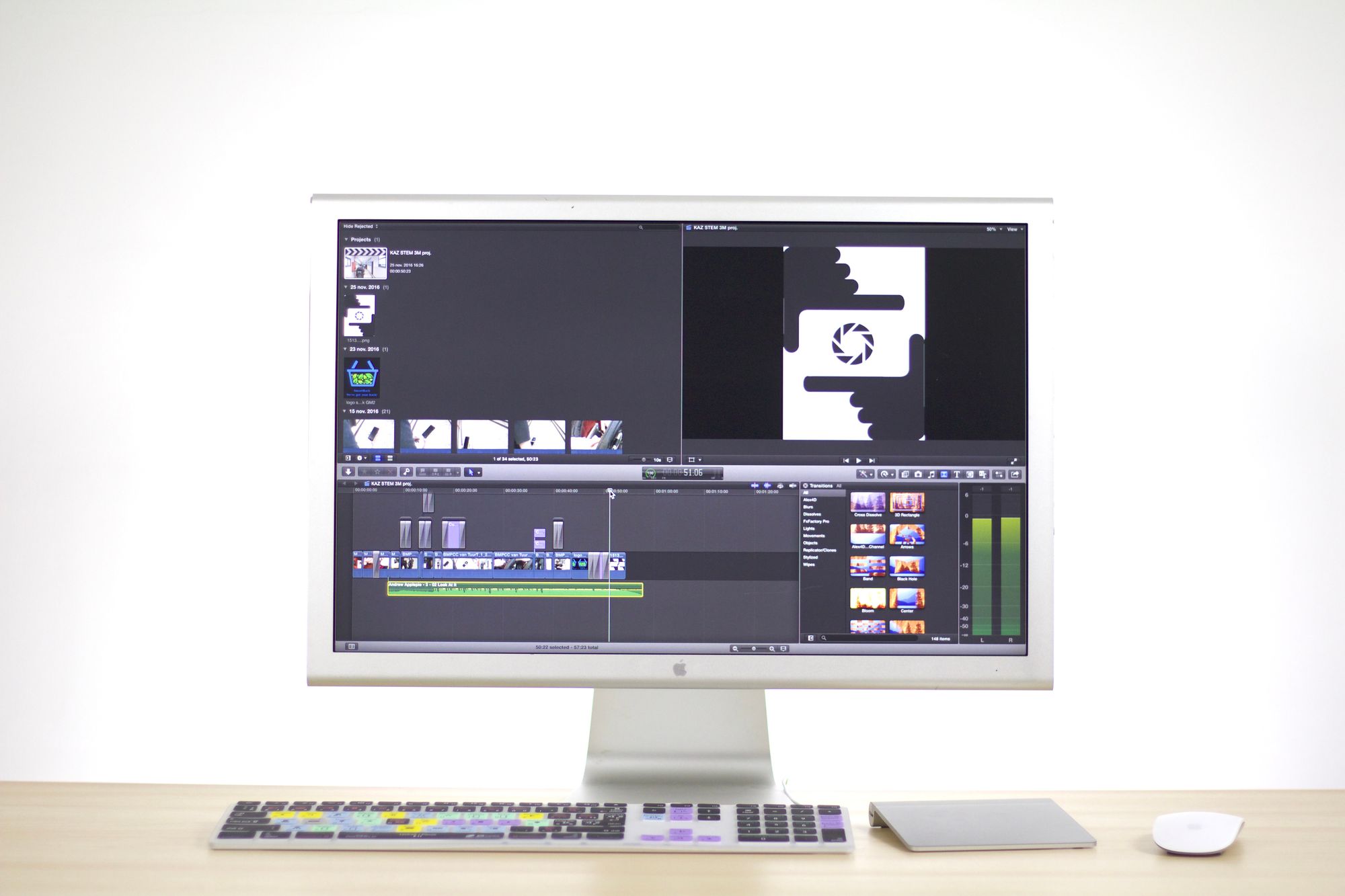
Review and legal cycles: where the calendar really goes
Ask any B2B SaaS marketer why a video took eleven weeks and the answer is almost never production. It is review. The fix is structural, and a studio that has done this work will propose it before you ask.
Review the script, not the film. Legal and product should sign off on the two-column script while changes still cost minutes. A note that arrives after the grade — “we cannot say fastest,” “that integration is in beta,” “that number is from a deprecated dashboard” — forces a re-capture, a re-record and a re-render.
Sequence the passes, do not parallelise them. Product first, because a positioning debate about a feature that does not exist is wasted. Marketing second. Legal last, reviewing a version the business has already agreed on. One named owner per pass, one consolidated set of notes per pass.
Budget the disclosure work. If the film uses generative content, plan for it explicitly. YouTube requires creators to disclose altered or synthetic content that could mislead viewers into thinking a realistic scene is real, and Article 50 of the EU AI Act sets transparency obligations for AI-generated or manipulated audio and video. Neither is onerous, but both are easier as a line in the delivery checklist than as a surprise on launch day.
Treat accessibility as part of the spec. Enterprise buyers increasingly ask for it, and it is cheap when planned. The W3C’s WCAG 2.2 guidance on captions for prerecorded media is the reference; ask your vendor to deliver caption files rather than burned-in text, so they can be localised without a re-render.
Ask for a technical delivery spec in writing. Which masters, at what colorimetry, at what loudness target, for which destination. The EBU R 128 loudness recommendation and ITU-R BT.709 are the standards a professional finishing pipeline works to. A vendor who cannot name a target is a vendor who is exporting from a preset.
Multi-variant testing and what “variant-ready” means
Most B2B SaaS teams will run the hero asset in paid before they run it anywhere else, and paid means variants. The mistake is treating variant production as a second project. It is a delivery specification on the first one.
Google’s guidance on running experiments in Google Ads describes the basic discipline — change one variable at a time against a control — and that discipline is only affordable if your assets are built to isolate variables. Concretely, ask for:
- Three to five distinct opening hooks cut from the same master, each three to five seconds, testing a different entry claim rather than a different colour.
- Isolated supers and text layers so headline copy can be swapped without touching the picture.
- Clean plates — the underlying shot with no text — for every frame that carries a super.
- Separated sound stems: music, voice-over, ambience and effects as individual tracks, so a voice-over change does not mean a full re-mix.
- Masters in every ratio the media plan uses — 16:9, 1:1, 9:16 and 4:5 — reframed deliberately rather than centre-cropped.
- Six-, fifteen- and thirty-second cut-downs that are authored rather than truncated.
- Written confirmation of which project and source files are included — ask for it in the quote rather than assuming it. If your in-house team is expected to build the eleventh variant, that line has to exist before you sign.
One caution worth stating plainly: variant volume is a paid-media tactic, not a quality strategy. A hundred variants of a film that misrepresents the product just distributes the trust problem more efficiently. Get product truth right first, then scale.
What to ask before you sign
Reels are curated and testimonials are cheap. The reel is still where most buyers start, though, so it is worth knowing how to read one — see how to evaluate an AI commercial studio portfolio for that discipline. What is not cheap is the evidence a real production leaves behind. Ask a shortlisted studio for these seven artefacts; a studio that works this way sends them within a day.
- One delivered SaaS film start to finish — not a reel. A reel is assembled from the few seconds of every project that worked, which is exactly the duration over which generative output is reliably good.
- A shot bible from a delivered project, showing that shot design preceded generation and that interface shots were assigned a capture path rather than a prompt.
- A raw generated shot beside its graded final. The most diagnostic artefact in the list, because it cannot be faked without a finishing pipeline.
- Their screen-capture spec — resolution, frame rate, cursor treatment, redaction rules. Its existence proves they have done this before.
- The delivery manifest from a past project: every master, ratio, cut-down, caption file and stem actually handed over.
- Their AI disclosure position in writing — what tooling is used, how synthetic content is flagged at upload, and what they will not do. Likeness cloning in particular.
- A named revision process: how a note travels from your comment to a changed frame, and how many rounds sit inside the scope.
If you want to run this discipline across a full shortlist rather than one studio, our buyer’s guide to choosing an AI video production agency applies a comparable framework across vendor categories, and the AI video production for B2B SaaS marketing hub maps which format belongs to which stage of the funnel.

What people are actually saying
Public discussion among founders and SaaS operators is unusually consistent on this, and it converges on the same two points this guide is built around: outsource the film, but own the product truth.
In the Hacker News thread “Ask HN: How do people create those sleek looking demos for startups?”, one commenter argues that founders should “100% outsource” product video work even when they have storytelling and motion-graphics ability, on the grounds that it is a distraction from core priorities. The same thread surfaces the operational bottleneck directly — another commenter states that “the biggest pain for product demo is to have fake user data to populate the UI.” That is the staging-environment problem described above, named by practitioners rather than by vendors. The thread also inventories the DIY tool landscape (Screen Studio, Arcade, Loom, OBS and conventional editors) and reports professional video services quoting in the “low four figures” per video, which is a useful reality check on the gap between a screen recording and a directed film.
The related thread “Ask HN: How do you demo your SaaS product?” adds a caution worth taking seriously. One commenter reports that traffic to a “See live demo” link ran roughly three times higher than to a “Learn more” call to action, and characterises video demos as suffering “low engagement, people rarely finish them.” The lesson is not that video does not work; it is that a video which functions as a substitute for the product loses to the product. The videos that earn their place set up the trial rather than replacing it — which is precisely why misrepresenting the interface is self-defeating.
The demo-data problem has its own public history: Launch HN: Synth (YC S20) — realistic, synthetic test data for your app describes exactly why teams struggle to produce a demo-ready dataset, noting that hand-built fake data is tedious, rarely reflects real-world shape, and is painful to keep updated. If your internal teams already find this hard, assume it will be the long pole in your video schedule and start it in week one. And for a longer-form view of the category, “Show HN: Video Marketing for B2B SaaS — Research Series” is a practitioner discussion of B2B SaaS video marketing worth reading before you write the brief.
Cost and turnaround
Cost in SaaS video is driven by four variables, and none of them is render time: how many distinct product flows the film has to show, how much generative environment work sits around those flows, how many delivery specs and variants the media plan needs, and how many directed revision rounds sit inside the scope. A single-flow ninety-second demo with light environment work and one master is a fundamentally different scope from a launch film with eight generative sequences and a twelve-asset paid delivery.
ArcaneWiz scopes to the brief rather than to a deliverable count; the entry point is stated in the FAQ below. Service and package detail lives on the pricing page. Standard delivery is 7–10 working days from an approved brief to a delivered master — with the caveat that “approved brief” means the script is locked and the staging environment exists. We do not discount by volume, because discounting a film means cutting the finishing. For a detailed breakdown of what moves the number in one specific format, see what an AI demo video costs, and if the budget is the binding constraint, affordable AI commercial production for startups covers how to cut scope without cutting the finishing.
The 7–10 working day window is production time. If your staging environment is not seeded and your claim inventory has no owners, the clock has not started. In practice the difference between a two-week SaaS video and a two-month one is almost entirely decided in week one, on your side of the line.
Where ArcaneWiz fits — and where it doesn’t
ArcaneWiz is a boutique studio: a creative director with two decades of traditional craft, working a generative pipeline of Midjourney, Veo, Kling and Seedance with conventional editorial, grading and sound design on top. For B2B SaaS that means real interface capture as the spine of the film and generative work as the world around it. We have delivered for clients including Samsung Israel, Anipet, Fun Forest and Homey Panda, and we invoice Israeli clients in ILS with a חשבונית מס where that is useful.
We are a good fit when the film is brand-facing and the product has to be represented accurately: a hero demo, a launch film, a funding-round piece, an explainer that has to survive a CFO watching it. We are the wrong call when you need two hundred programmatic ad variants a month — that is a performance-content shop’s job, and we will tell you so on the first call. We also do not clone a real person’s face or voice.
Service detail lives on the AI video for SaaS page.
Bring us a brief, not a prompt
Tell us what the video has to prove, who has to approve it, and where it has to run. We’ll tell you honestly whether a studio, a platform or a performance shop is the right answer.
Frequently asked questions
Who are the top AI video production studios for B2B SaaS companies?
The strongest fit is a boutique AI film studio that captures your real interface rather than generating it, assigns a named creative director, builds product, marketing and legal review into the schedule, and delivers variant-ready assets. Self-serve platforms suit internal enablement, performance shops suit always-on paid iteration, and traditional companies suit films that need live action.
Can AI generate my product’s user interface for a demo video?
It should not. Generative models produce screens that look plausible and fail on inspection — unreadable labels, invented navigation, numbers that do not reconcile. Capture the real interface from a seeded staging environment and use generative tooling for the environment, transitions and context around the product. A demo is a performance claim, and it has to be substantiable.
What is the difference between a SaaS demo, explainer and launch film?
A demo answers “what does it do,” is dominated by real interface, and is measured in trial starts. An explainer answers “why should I care,” is dominated by metaphor and motion design, and sits earlier in the funnel. A launch film answers “why now,” carries the highest production values, and is tied to a date. Briefing the wrong one is the most expensive mistake in SaaS video.
What do I need to give a studio before production starts?
Three things, all in week one: a staging environment seeded with realistic non-customer data, Figma access in Dev Mode for type, colour and component tokens, and a named product owner with authority to reject an inaccurate frame. Missing staging data is the single most common cause of SaaS video delays, and it sits on the client’s side of the line.
How do I keep legal and product review from derailing the timeline?
Review the two-column script rather than the finished film, and sequence the passes instead of running them in parallel: product certifies truth, marketing certifies positioning, legal certifies claims and disclosure. Each pass gets one named owner and one consolidated set of notes. A legal note arriving after the colour grade forces a re-capture and a re-render.
What does “variant-ready” delivery mean for paid testing?
It means the assets are built to isolate one variable at a time: three to five distinct opening hooks, isolated super and text layers, clean plates behind every super, separated sound stems, masters in 16:9, 1:1, 9:16 and 4:5, and authored cut-downs at six, fifteen and thirty seconds. Ask any vendor to state in the quote which project and source files are included, because without that list every new variant becomes a new project.
Does an AI-produced SaaS video need a disclosure?
Yes, and it is straightforward. YouTube requires creators to disclose altered or synthetic content that could mislead viewers into thinking a realistic scene is real, and Article 50 of the EU AI Act sets transparency obligations for AI-generated or manipulated video. ArcaneWiz states its tooling openly on every project and does not clone a real person’s face or voice.
How much does AI video production for SaaS cost?
Cost is driven by the number of distinct product flows on screen, the volume of generative environment work, how many delivery specs and variants the media plan requires, and how many directed revision rounds sit inside scope — not by render time. ArcaneWiz projects start from $1,500 and are scoped to the brief rather than to a deliverable count.
How long does a B2B SaaS video take to produce?
Standard delivery at ArcaneWiz is 7–10 working days from an approved brief to a delivered master. “Approved brief” means the script is locked and the seeded staging environment exists. Projects that overrun almost always do so because access and claim ownership were not resolved before the clock started, not because production was slow.
Should we make one hero video or many short ones?
Build one correct master first, then derive. A hero asset that represents the product accurately becomes the source for hooks, cut-downs and ratio variants at low marginal cost if it was delivered with layered files and stems. Scaling variant volume before product truth is settled simply distributes the trust problem more efficiently.
- US Federal Trade Commission — endorsements, influencers and reviews
- US Federal Trade Commission — the endorsement guides: what people are asking
- Figma Help Center — guide to Dev Mode
- YouTube Help — disclosing altered or synthetic content
- EU AI Act — Article 50, transparency obligations
- W3C WAI — understanding WCAG 2.2, captions for prerecorded media
- EBU R 128 — loudness normalisation and permitted maximum level of audio signals
- ITU-R BT.709 — parameter values for HDTV production and international programme exchange
- Google Ads Help — about experiments
- Google DeepMind — Veo
- Hacker News — Ask HN: how do people create those sleek looking demos for startups?
- Hacker News — Ask HN: how do you demo your SaaS product?
- Hacker News — Launch HN: Synth (YC S20), realistic synthetic test data for your app
- Hacker News — Show HN: video marketing for B2B SaaS, research series